Investigating using AKS MCP Server
You can investigate Azure Kubernetes Service issues using HolmesGPT with the AKS MCP (Model Context Protocol) server.
Prerequisites
- HolmesGPT CLI installed (installation guide)
- An AI provider API key configured (setup guide)
- Azure CLI installed and authenticated
- Access to Azure Kubernetes Service clusters
- Azure Kubernetes Service VS Code extension installed
Setting Up AKS MCP Server
Step 1: Setup the MCP Server
- Open VS Code Command Palette (
Ctrl+Shift+PorCmd+Shift+P) - Run: "AKS: Setup AKS MCP Server"
- Follow the setup wizard to configure your Azure credentials and cluster access
Step 2: Update Configuration for SSE
After installation, update your VS Code MCP configuration (.vscode/mcp.json) to use SSE transport and start the server
{
  "servers": {
    "AKS MCP": {
      "command": "/Users/yourname/.vs-kubernetes/tools/aks-mcp/v0.0.3/aks-mcp",
      "args": [
        "--transport",
        "sse"
      ]
    }
  }
}
"stdio" to "sse" in the transport argument.
Step 3: Configure HolmesGPT
Add this configuration to your HolmesGPT config file (~/.holmes/config.yaml):
mcp_servers:
  aks-mcp:
    description: "Azure Kubernetes Service(AKS) Model Context Protocol(MCP) server"
    url: "http://localhost:8000/sse"
    llm_instructions: "MCP server to get AKS cluster information, retrieve cluster resources and workloads, analyze network policies and VNet configurations, query control plane logs, fetch cluster metrics and health status. Investigate networking issues with NSGs and load balancers, perform kubectl operations, real-time monitoring of DNS, services across Azure Kubernetes environments"
Investigation Examples
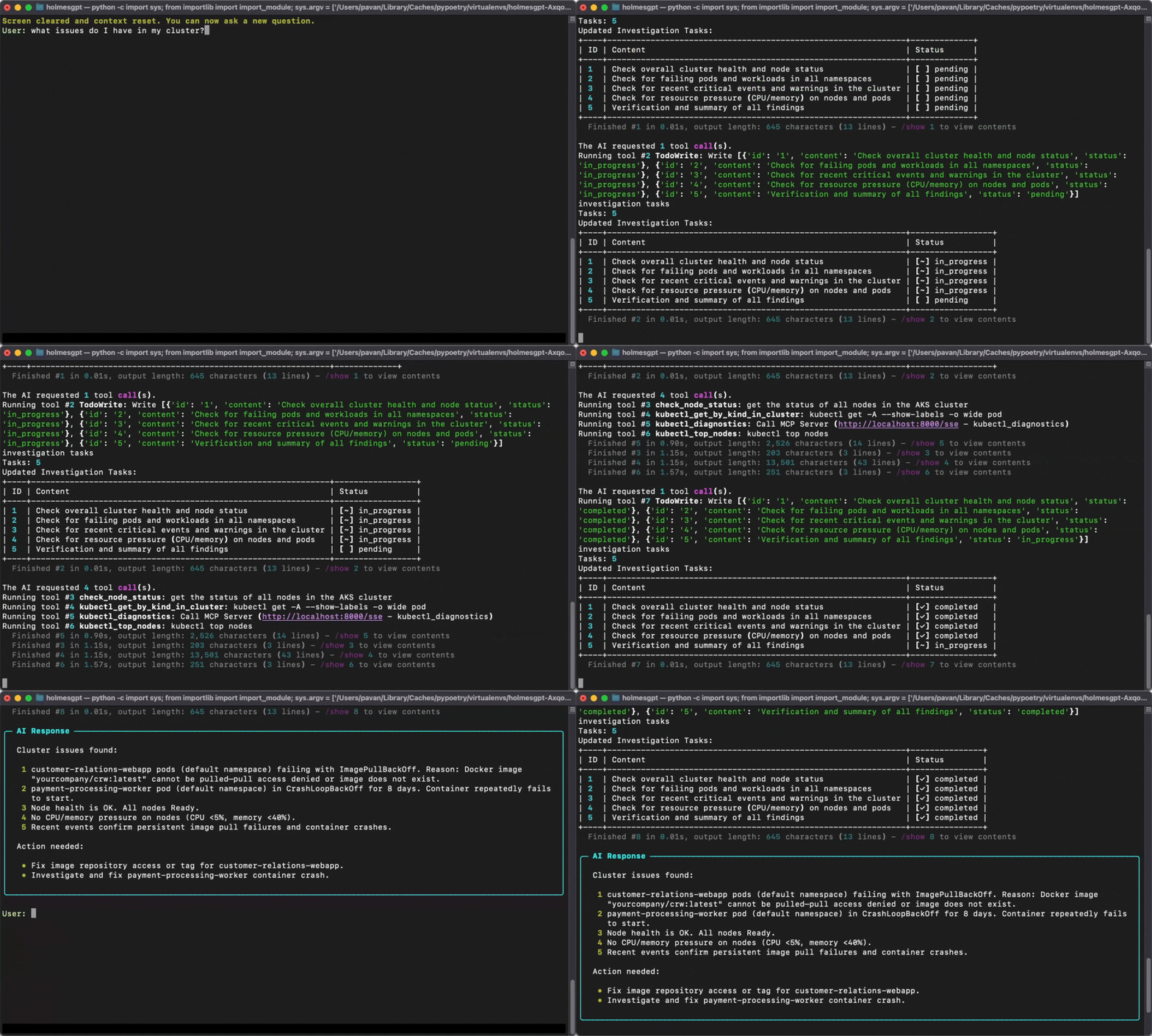
Once configured, you can investigate AKS issues using natural language queries:
Cluster Health Issues
Network Connectivity Problems
What's Next?
- Add more data sources - Combine AKS MCP with other observability tools
- Set up additional MCP servers - Integrate multiple specialized MCP servers
- Configure custom toolsets - Create specialized investigation workflows